
A precise warehouse plan for every part
Upload your production plan — the system calculates MIN/MAX stock, pallets, rack cells, racks, warehouse area and even staff and equipment needs for every part.
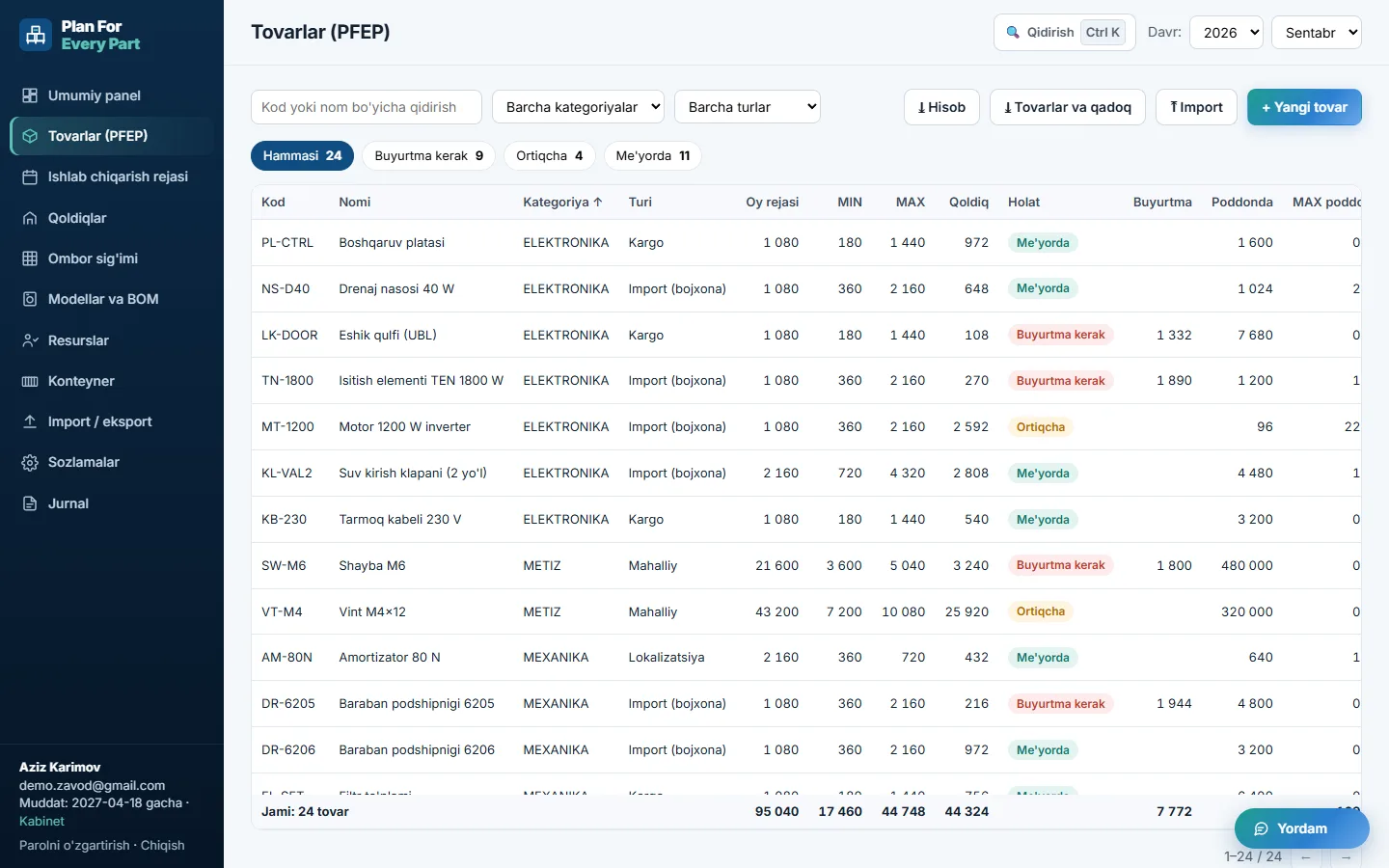
Everything about a part in one table
PFEP — Plan For Every Part. A lean manufacturing method that gives a precise answer to what, how much, how and where — for every single part.
What
Code, name, category, SAP code and supply type.
How much is needed
Monthly plan — per part, or via product models and BOM.
How much to keep
MIN and MAX stock — the reorder point and the upper limit.
How it is packed
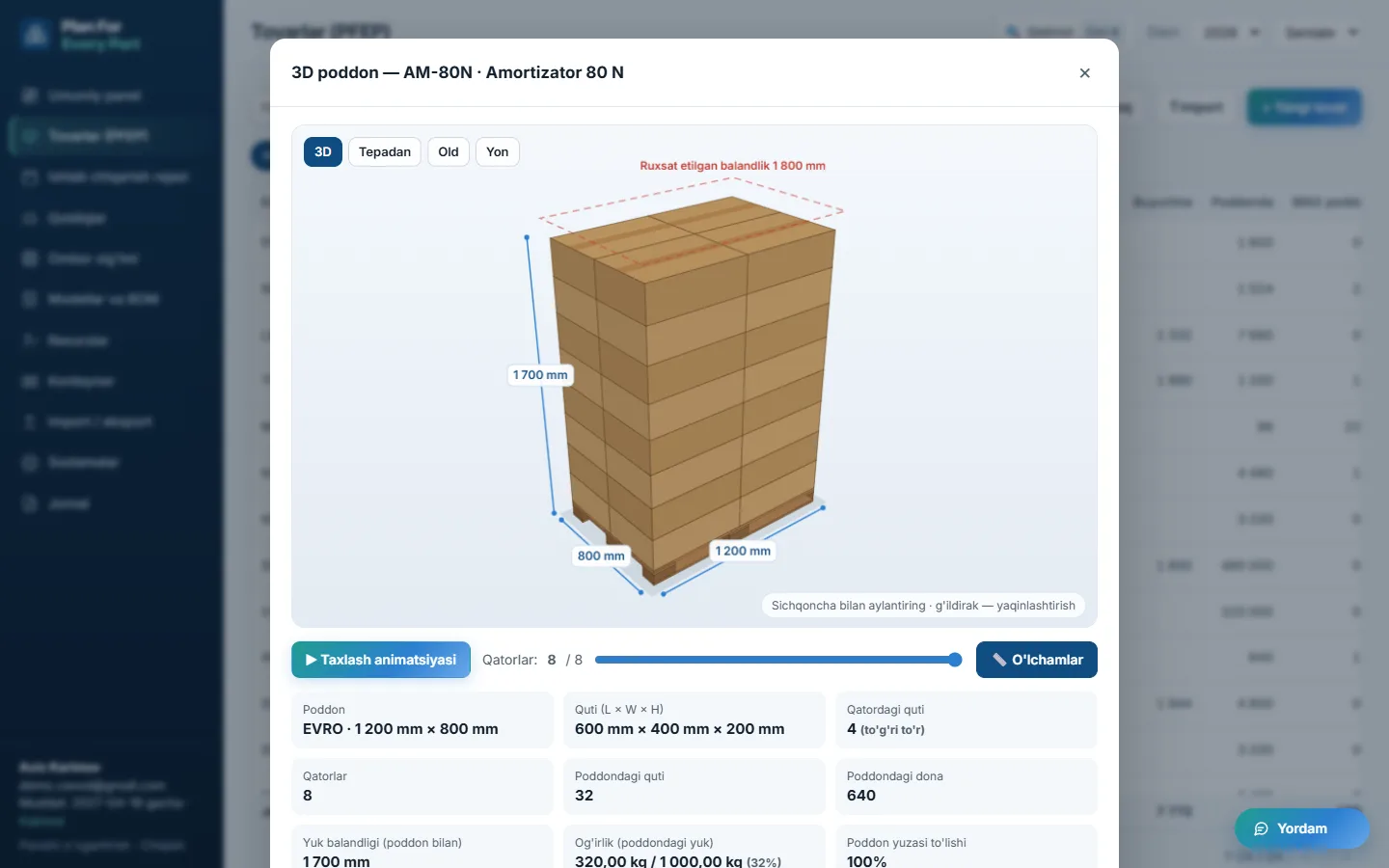
Pieces per box, boxes per pallet, dimensions and weight — gaps are filled in automatically.
Where it is stored
Warehouse location (DLOC), rack cell, rack and line delivery point (ULOC).
Where it comes from
Supplier and supply type: import, localized, cargo or local.
The work you do in Excel — faster and error-free
Formulas never break, files never bloat — everyone works with the same data.
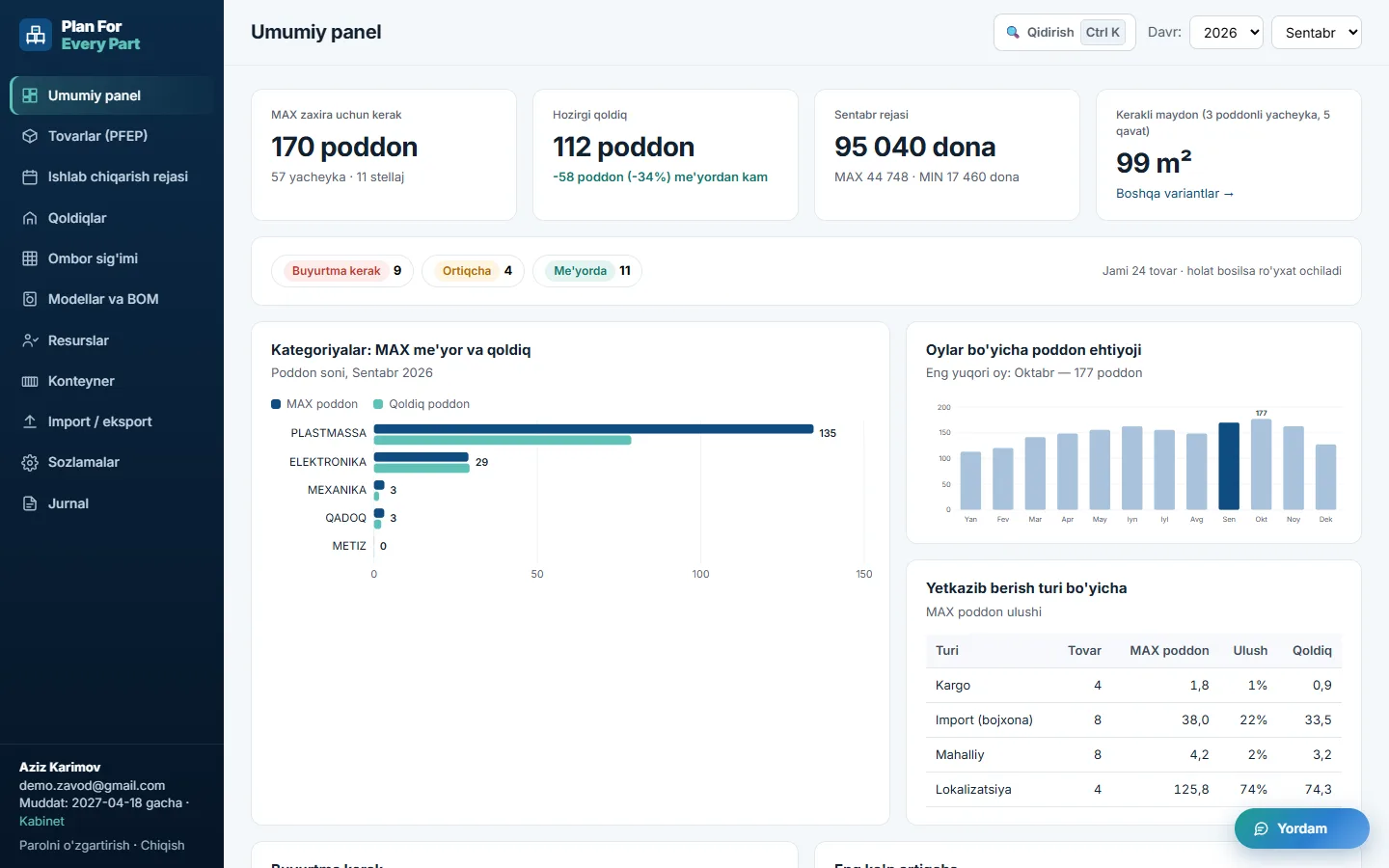
The whole warehouse at a glance
MAX pallets, stock, difference and m² needed. Charts by category, supply type and month.
Manage without opening the site
Reorder / Overstock
Parts below MIN or above MAX are flagged automatically, and packaging inconsistencies are highlighted.
Plan by model
Product model plan × BOM — part demand is calculated for you. Direct import of TEXNOPARK-format files.
Staff and equipment
Staff needed for receiving, put-away and line feeding, number of forklifts and reach trucks, investment by year.
How many containers?
Volume and weight by model and kit count, kits per 20' / 40' / 40' HC container and containers needed.
A separate database per customer
Your data is fully isolated from other customers. Encrypted passwords, https, every change is logged, daily backups.
The real interface — with sample data
After signing up you work in exactly these screens. Or open a sample factory database right now — no sign-up needed.
Get started in four steps
Sign up
Create an account with your e-mail, pay and upload the receipt. Once approved, your own database is opened.
Upload Excel
Parts, packaging, plan and stock from your PFEP.xlsm or BOM file are imported in one go.
Keep it updated
Enter plan and stock via an Excel template or directly in the table.
Decide
See what to reorder, where to free up space and how many racks you need.
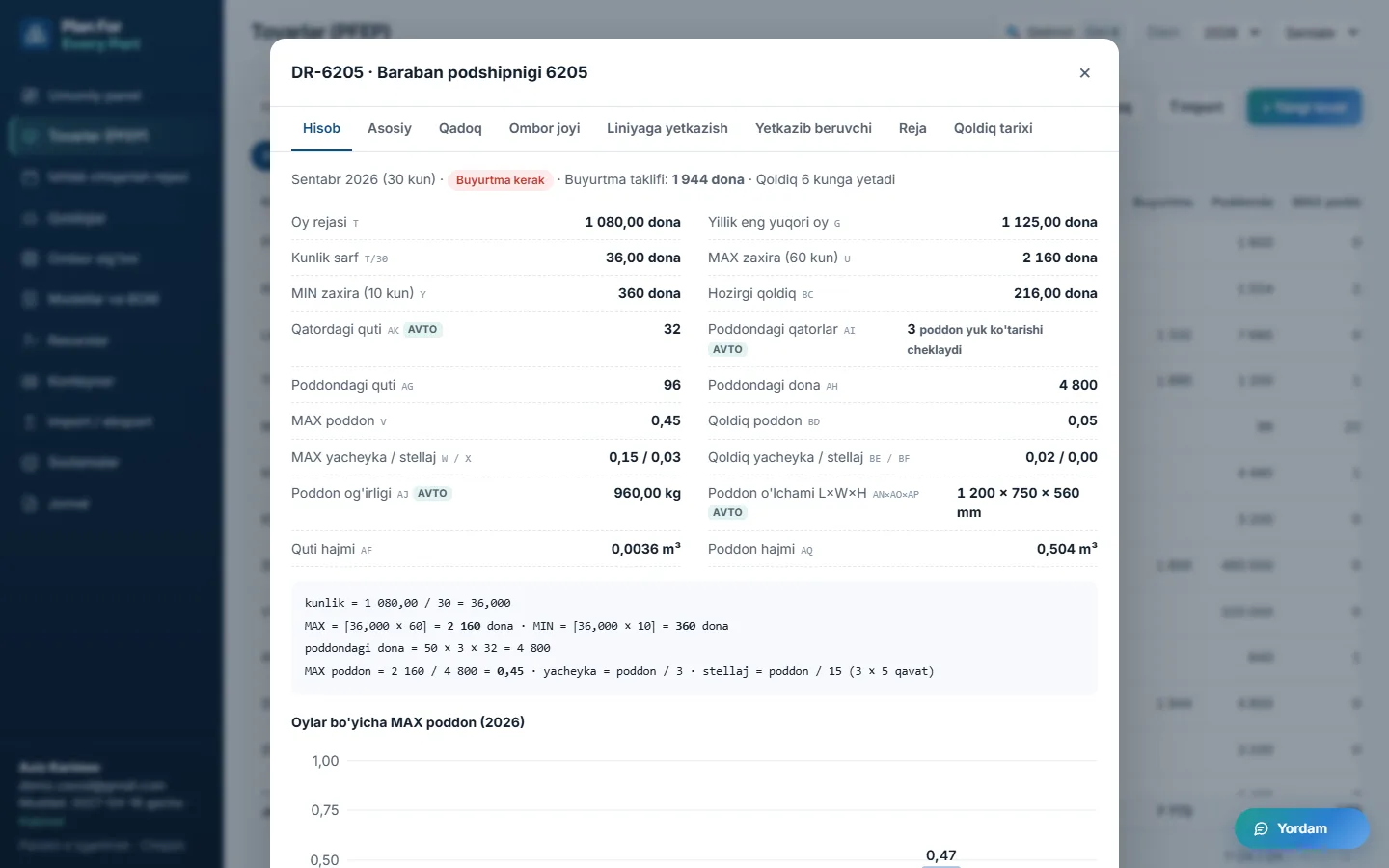
Plan → stock → pallets → m²
The formulas match your PFEP spreadsheet. Only now they live in one place and are linked by part code.
| Supply | MAX | MIN |
|---|---|---|
| Import (customs) | 60 days | 10 days |
| Cargo | 40 days | 5 days |
| Local | 7 days | 5 days |
daily = monthly_plan / 30
// stock limits (pcs)
MAX = ⌈daily × max_days⌉
MIN = ⌈daily × min_days⌉
// convert to pallets
per_pallet = per_box × layers × boxes_per_layer
pallets = MAX / per_pallet
// pallets per rack: cell × level
cells = pallets / 3
racks = pallets / (3 × 5)
What the system speeds up
One simple plan — everything included
No hidden fees. You pay, upload the receipt — once an administrator approves it, the system opens. We remind you 3 days before expiry, and your data is never deleted.
Standard plan
- Unlimited parts, plans and stock records
- MIN/MAX, pallet, rack and m² calculation
- BOM, resources, containers and investment
- Excel import / export and full backup
- Telegram notifications and support
Frequently asked questions
Can I upload my Excel file?
Yes. A full PFEP.xlsm file or a TEXNOPARK-style BOM file (models × parts) is imported once — parts, packaging, plan, stock, MIN/MAX days and rack settings. After that you update plan and stock via a template.
Will the results match my Excel?
The formulas are the same as on the PFEP sheet. The only difference: the plan is linked by part code, not by name, so parts with identical names are now calculated correctly.
Can other customers see my data?
No. Each customer gets a separate database file, and every request runs only against that database. Passwords are stored encrypted, the site works over https only, and backups are taken daily.
How do I pay?
After signing up, your account page shows the card number. You pay and upload the receipt (screenshot or PDF) — an administrator checks it and grants access. Connect the Telegram bot to be notified instantly.
What happens when my subscription ends?
You get a reminder 3 days before. Even after it ends your data is kept — upload a new receipt to renew and everything will be right where you left it.
Can I change the units of measure?
Yes: length mm / cm / m, weight g / kg / t, area mm² / cm² / m². You can also pick a unit per field — the data stays intact.
Get your warehouse in order today
Sign up or leave a request — we'll show you the system on your own Excel file.
Want to see the system on your warehouse?
Leave your details — we'll set the system up on your Excel file and show you.